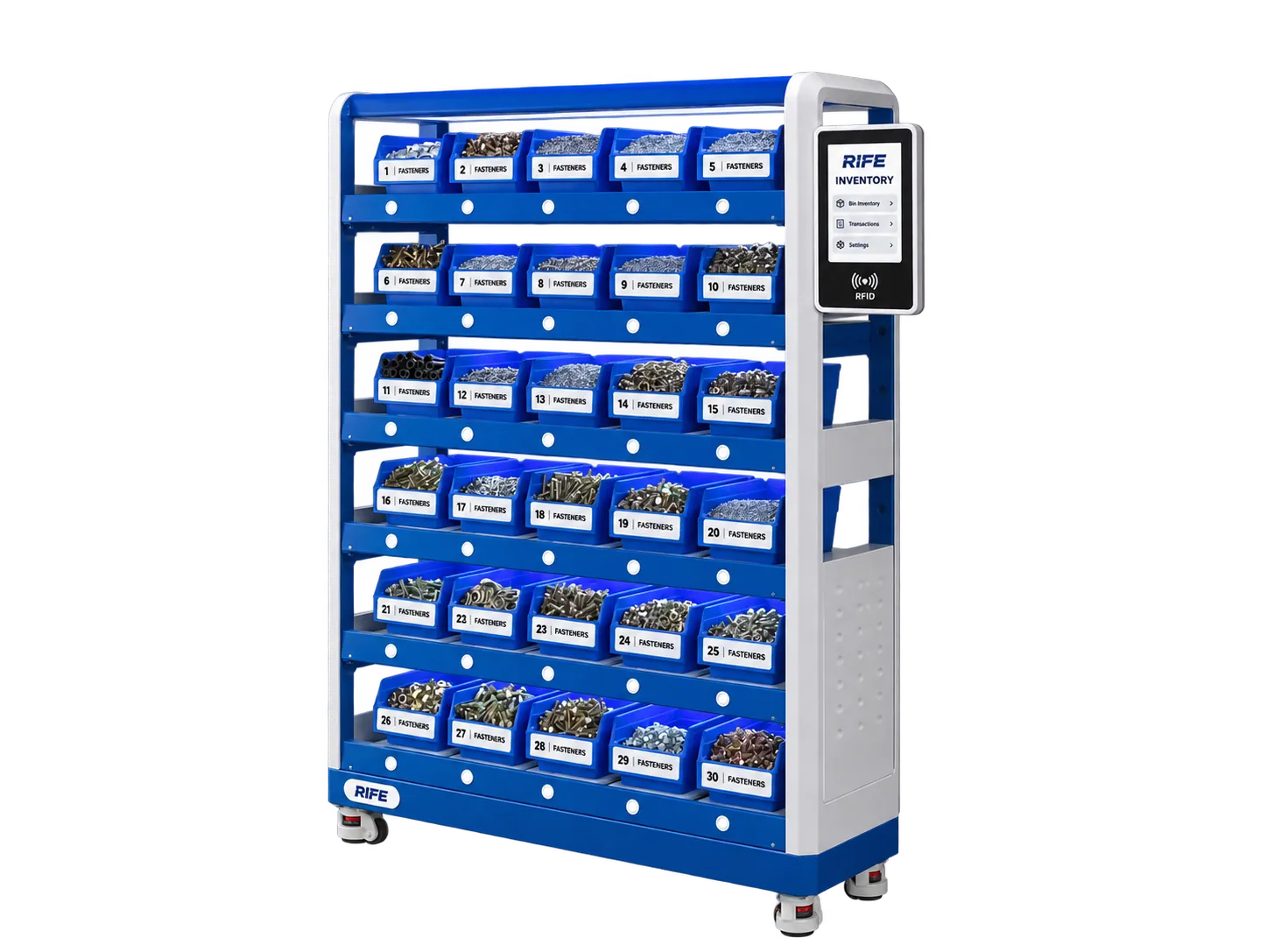
Plan a successful smart shelf pilot with representative materials, sensor selection, calibration, tests, replenishment workflow and acceptance criteria.
Start with the current stock-checking workflow
A smart shelf pilot should begin by documenting what happens today, not by choosing sensors from a catalogue. Walk through how an operator takes a part, how a stores worker notices the shortage, who authorizes replenishment, and where the transaction is recorded. Note whether the stock is held in a production-cell bin, a central rack, an access-controlled cabinet or a drawer. The operational problem determines what the digital signal should change.
Record the current checking frequency and the consequences of missing items. A line-side screw bin may need a timely refill notice, whereas a spare part held for maintenance may need a user record or an exception alarm. Agree what success looks like: a visible remaining count, a usable list for refill rounds, fewer routine manual checks, or a specific issue-and-return history. A pilot without a defined operational decision can generate attractive measurements without improving work.
Choose representative item types and storage positions
Select a small set of items that reflects the planned use. Include common fasteners, a light consumable, a fuller bin, an item with packaging and a location subject to frequent picks. Do not select only the easiest material and then extrapolate the result to all stock. For each part, record its SKU, typical unit weight, container type, expected full quantity, smallest ordinary withdrawal and desired reorder level.
Where the pilot includes different storage conditions, choose one or two representatives of each. A stable bench bin and a warehouse shelf experience different vibration and loading. A tool drawer introduces movement; a secured cabinet introduces access sequencing. Maintain one known SKU per measuring zone during the initial test so the results can be interpreted. Mixed-item applications may require additional identification technology or a changed physical layout.
Record tare and unit-weight variation
The total reading includes more than the stock: trays, bins, liners and supports contribute weight. Measure the empty container tare in its installed condition and document what happens when containers are replaced. For standard parts, weigh a sample of units across batches or suppliers. The consistency of those weights matters to the reliability of the calculated quantity, particularly when the load is near empty.
A single unusually light or heavy part should not define a unit weight for the entire pilot. Record representative variation and decide whether stock should be counted as individual pieces, sealed packs or another practical unit. Labels, protective wrapping and partial packs can change the tare unexpectedly. A pilot can therefore reveal that the best solution is a different container or stock unit rather than a more expensive load cell.
Evaluate shelf geometry and mechanical stability
Inspect where load will be applied, how the bin will be removed and refilled, and what loads are supported by nearby steelwork. A load cell requires a clear mechanical measurement path. If part of a stocked bin rests against a rail, frame or adjacent tray, the sensor may not read the intended weight consistently. The mounting should be secure enough to handle routine workplace contact.
Assess rack stiffness, floor levelling, the motion of drawers, vibration from nearby equipment and the possibility of operators leaning on the storage position. Ensure cables and electronics are protected from loading equipment and cleaning. If retrofit is proposed, review the existing shelf and support geometry before committing to a sensor quantity. Use drawings, measured dimensions and photographs as inputs to the physical design review.
Select sensor range and meaningful resolution
The correct sensor must tolerate the maximum stocked position while detecting the smallest inventory change that matters. A full bin plus its container defines one boundary; a typical unit pick or pack removal defines the other. Selecting solely by maximum load can produce a system that comfortably carries the stock but fails to distinguish the withdrawals operations need to monitor.
Resolution on a data sheet does not automatically become dependable counting accuracy on an installed rack. Electronics, noise, tare variation, sensor mounting and mechanical loading affect what the assembled system can resolve. Ask engineering to show measurements at empty, normal and full stock levels and after repeated additions and removals. Record the actual acceptance threshold rather than promising a universal minimum detectable weight.
Plan power, connectivity and maintenance access
A shelf weighing position needs an electronic measurement path. Depending on the architecture, sensors may connect through local controllers to a computer, gateway or network service. Include wiring, protection, power supplies, cable routes and service access in the pilot layout. A neatly photographed rack with no viable cable path is not yet a workable installation.
Decide how the system behaves after a power interruption, network outage or hardware service. Local signal availability and synchronization rules depend on the selected controller and software architecture. The installation team should be able to identify a faulty position and access the hardware without dismantling the entire rack. Document who recalibrates a replaced sensor and who updates the item data after changes to storage locations.
Define stock locations, item records and users
A good monitoring interface mirrors the actual warehouse. Define site, storeroom, aisle, rack, bay, shelf and bin identifiers only to the level operations needs. Attach each item SKU and calibrated unit weight to a specific measurement position. This lets a refill worker act on a location, not a disconnected sensor number. Test the naming with people who work in the store every day.
Specify which users only view stock, which can adjust item mappings and who can change replenishment thresholds. If the pilot includes secure cabinets, define how RFID or PIN sessions relate to stock movements. The identity of the person and the weight-derived quantity change are separate signals that the workflow may combine. Avoid assuming that open rack monitoring automatically provides user accountability.
Set replenishment thresholds with the stores team
The reorder threshold should reflect actual consumption, refill travel time, normal delivery cycle and the consequences of a shortage. A default percentage may not suit every item. For a line-side fastener bin, the threshold can represent the quantity required to cover the next material-delivery round. For maintenance spares, the relevant policy may be tied to replenishment lead time and planned work.
Decide what happens when stock is low. Does the store see a dashboard row, receive a message, or prepare a supplier order? The selected notification channel needs to be confirmed in the working software; a label saying 'auto-reorder' does not prove a purchasing transaction will be created. During the pilot, log the alert time, who acted and whether the replenishment arrived before a shortage.
Test normal picks, refills and exception scenarios
A convincing demonstration should cover more than a single item removal. Run normal picks, small picks, larger withdrawals and complete refills with representative containers. Test a nearly empty bin and a fully loaded position. Compare the calculated count with an independent physical count at defined checkpoints. Record any drift, missed changes or unusual settling time.
Include exceptions: someone moves the bin, puts stock on the wrong position, leans on a shelf or replaces a container with a different tare. If the system is used in a moving drawer, repeat tests during opening and closing. For a secured cabinet, review one authorized user session and ensure the log associates stock change only within the supported access sequence. Record how supervisors reconcile anomalies rather than hiding them.
Write measurable acceptance and handover criteria
Agree acceptance criteria before the pilot begins. The document should name which items and quantities will be tested, what count deviation is acceptable for those items, how quickly status must update, and what exceptions require manual review. Also define the required user roles, reports, exports and any specific ERP interface. Different products may legitimately have different acceptance values.
A useful handover contains the item map, sensor assignments, calibration procedure, spare-part contacts, user permissions, exception procedures and ownership of refill decisions. Capture lessons from the pilot in a small change log: which bins should be resized, which thresholds were too high or low, and which items should use another identification method. This provides evidence for the procurement and wider rollout decision.
Plan scale-up by item family and work area
After the pilot, identify where the measured benefits would repeat. One factory line with stable fasteners may be a good candidate for additional bins. Another area storing mixed or highly variable components may call for a different method. Roll out by logical material family and operating team, preserving clear location naming and stock responsibilities.
Estimate the resources required for mounting, electrical routing, network access, item weighing, calibration, training and support. Compare the chosen architecture with actual maintenance requirements, not just the initial sensor price. The procurement package should distinguish demonstrated features from configurable integrations or proposed software. This makes expansion an evidence-led engineering decision rather than a promise built from one successful demo.
Key considerations
- Define a practical inventory decision before choosing a sensor.
- Use representative materials and measure unit-weight variation and tare.
- Test the full installation under normal operating conditions and exceptions.
- Agree the required stock alerts, user roles, reporting and acceptance criteria in advance.